


In June ’23 Microsoft – after just two years – will retire Calendar Board, Outlook’s special calendar view (available on the web version only) that let you add widgets to a personal dashboard.

You had a choice of about a dozen different widgets and could arrange them anyway you liked, but the experience was always a little finicky and never saw 3rd party widget support.
Released in 2021 at a similar time to Viva Connections, it was showing a degree of UI polish that suggested – when first released – Microsoft was indeed very committed to the idea of creating a personalized, configurable space for users to put their “stuff”.
So with Calendar Board coming to an end, let’s look at some alternatives for your dashboard needs.
Alternative 1 (the official successor): Viva Connections


The spiritual successor to the Outlook Board is – of course – the dashboard from Viva Connections. Although not directly available in Outlook, it can be embedded into either SharePoint or MS Teams making it effectively just as ubiquitous to most Microsoft 365 users.
Related: Everything admins should know about Viva Connections before they deploy
Widgets are here called “Adaptive Card Extensions” and prioritize an easy-to-scan overview over information density and, frankly, interactivity. Right from the start Viva Connections also included the ability for 3rd party apps; simply go to App Source for more.
I would encourage you to actually go and check out the available apps, because you may start to see one of the downsides: despite being introduced all the way back in ’21 – at the time of writing in Jun ’23 – there are just 10 apps available.
Of course you can develop your own ACEs, but who’s got time for that?
If you were planning to simply add all your work apps, like ServiceNow, Jira, Salesforce, etc., then your only option really is a specific Viva app named App integrations.


This app promises to be the app store for Viva. All you have to do is add a new App integrations Card to your dashboard, point it to any app you wish. Each Card then pulls in live data for the current user, while admins can make layout adjustments with a built-in designer that’s a fork from the open-source AdaptiveCards.io designer. The App integrations app for Viva is free to install from App Source.
Comparing this to Outlook Board there are some other shortcomings however. Viva’s dashboard isn’t really a flexible drag-and-drop grid, and Cards cannot be rearranged by the user. There are built-in permissions that ensure the board is at least tailored to different groups of users; however, beyond that, there isn’t much in the way of making it “your” space. If your users want that, you should look at alternative 2.
Alternative 1½: adenin dashboard
This is effectively an extension to Viva’s App integration app: on this standalone dashboard web app every user can position and resize their cards, as well as add new apps (that admins pre-configured).

Not limited to a web app, companies can also push it to other channels like SharePoint web parts, Teams, Outlook, or (kinda cool) ChatGPT.
The dashboard is made by adenin and is free to use.
Alternative 2 (the spiritual sibling): Ichicraft Board

As Outlook Calendar Board had some ardent fans, you might feel Ichicraft Board feels most familiar. They, too, have around a dozen widgets centred around your personal stuff like calendar, inbox, events, etc.
Widgets can be freely resized and repositioned and you can install this Board inside SharePoint or as Microsoft Teams’ home tab adding extra versatility over Outlook’s Board and, thus, being a perfect replacement for users that don’t get on with Viva Connections.
On the flipside, there is little in the ways of an app ecosystem to pull in data from outside the Microsoft sphere. You can co-develop your own widgets with Ichicraft’s help, but that’s very much for heavy hitters.
Ichicraft has a free self-install trial.
Alternative 3: Geckoboard
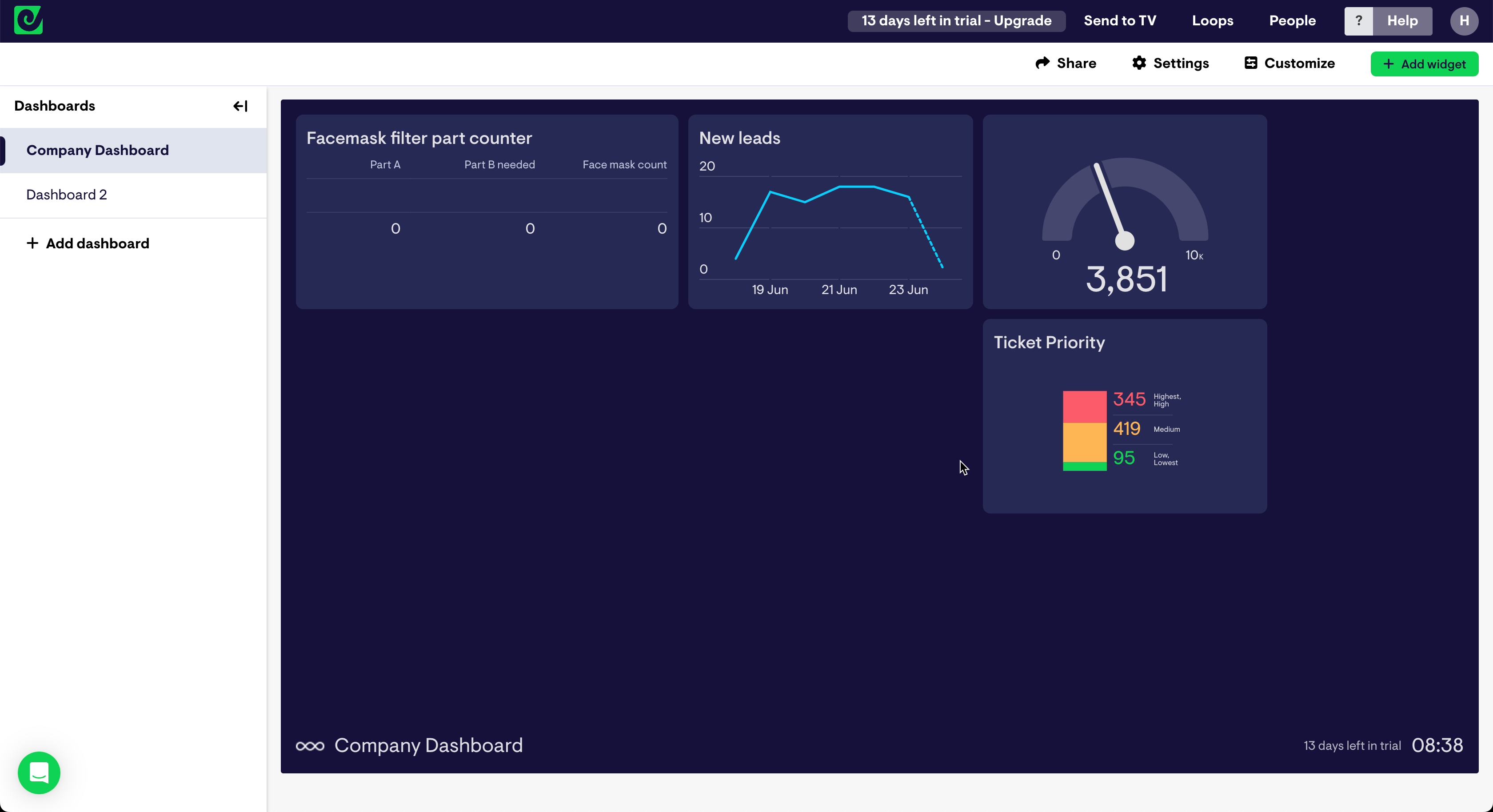
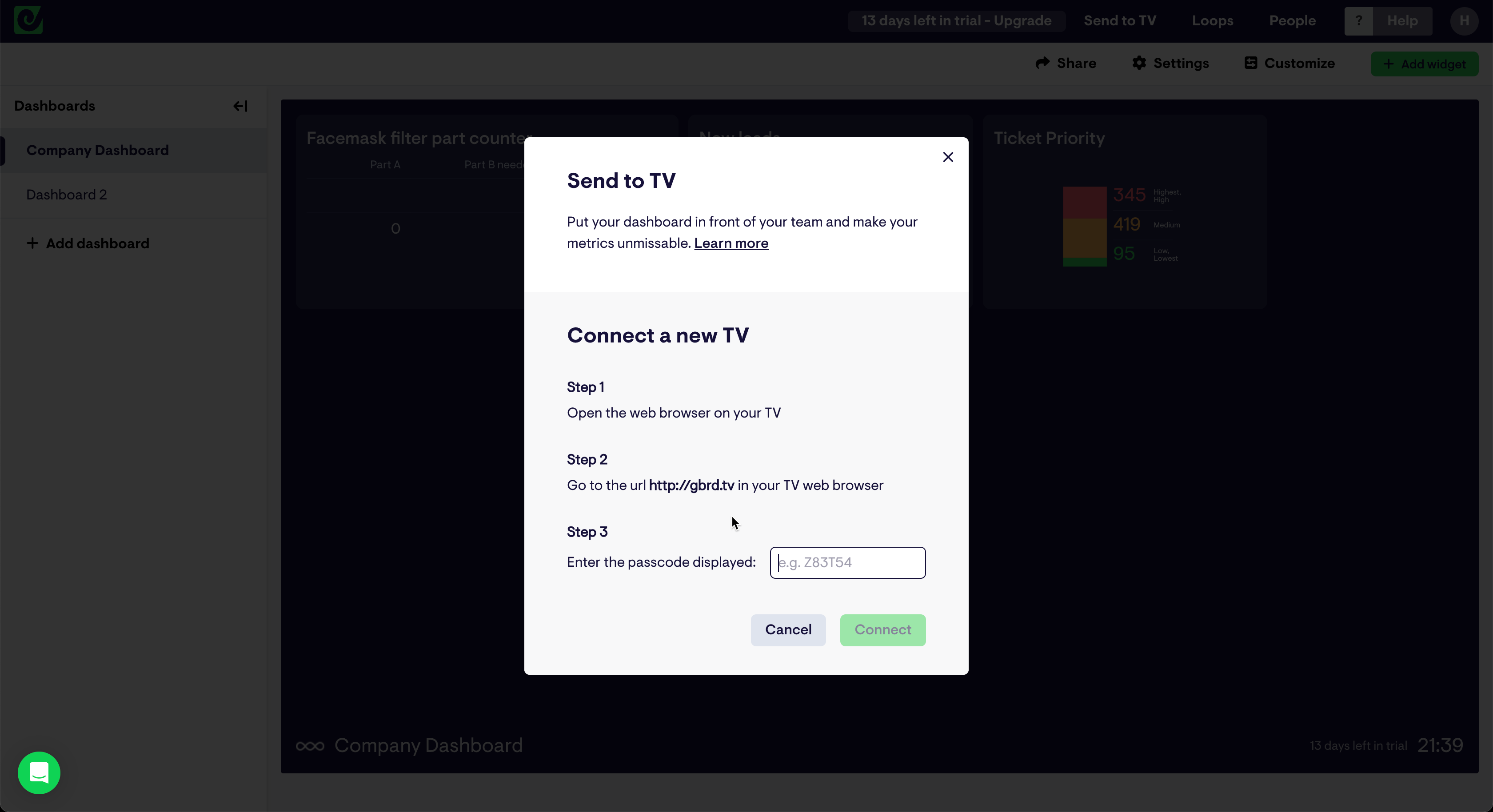
Being designed around easy monitoring of business applications, Geckoboard specializes in easily converting your data sources into a multitude of charts and other visualizations. Features like “Send to TV” make it particularly easy to share your dashboard with the entire office, and underline Geckoboard’s focus on creating transparency across your team.
They have a great library of specialized templates, and it’s free to test Geckoboard for 14 days. While the board and visualizations are very customizable, this is done on the admin level and – unlike Outlook’s Calendar Board – there isn’t much for the end user to put their stamp on. Further to this, just like many comparable data and KPI dashboards, there is no particular ability to embed the dashboard into Microsoft 365 applications.
There it is, our 3½ recommended alternatives to replace your Outlook Calendar Board. Would you suggest another solution, and if so why? Let us know in the comments below.


