


Wow, what a Fourth! The party continues with all the new things we have packed into Digital Assistant this month…
New feature: App Directory picker
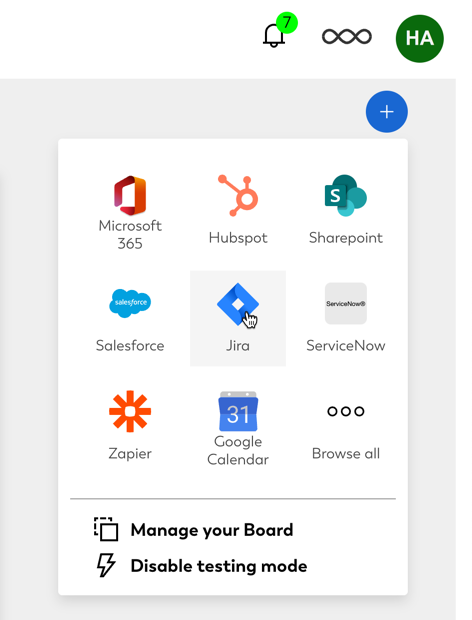
We’ve now made it easier to add apps from our App Directory to your Board. Just hit the ‘+’ symbol on your Board to open an app picker that shows you the most popular apps. You can either directly add an app to your Board or click Browse all to open the full App Directory in a pop-up modal. This dropdown also lets you manage what Cards appear on your Board, or enable the testing mode that generates sample Cards for your Board.
New app: ServiceNow
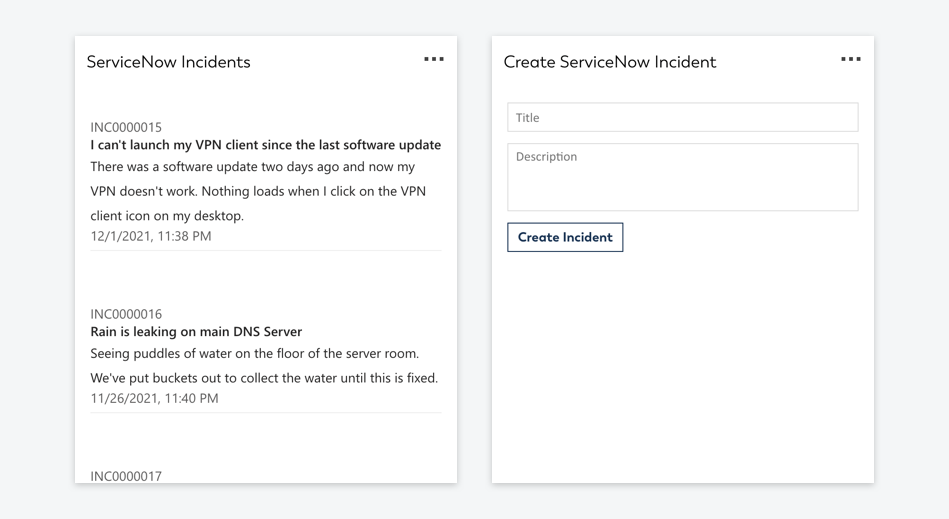
A dominating standard for enterprises managing their operations and workflows, ServiceNow has been among our top requested apps to release for Digital Assistant. Integrating ServiceNow can be complex, as their API requires additional configurations such as a Client ID to be registered with the platform first. We’ve therefore developed a configuration screen for the connector to ServiceNow that should allow you to connect without a hitch.
Once this is set up, you can either create your own Adaptive Cards using any ServiceNow API endpoint – or just pick from one of the two Card templates shipped with the ServiceNow integration for Digital Assistant. Go and install the ServiceNow integration now.
New app: Stripe
As a popular payment processor, Stripe is now available to show you new subscribers directly on your Digital Assistant Board. Add the Stripe app directly from the App Directory now.
New app: Typeform
Never miss another form submission, with this handy Typeform app that notifies you about new form responses directly on your Digital Assistant Board. View the Typeform app for Digital Assistant in the App Directory.
New app: Xero
With our Xero app you can easily place a Card on your Board that shows you due invoices from your Xero account. This is a perfect addition for Sales teams or controllers that don’t need full access to Xero, but still want to have the transparency over what orders the business has received. Add Xero from the App Directory now.
New app: Alexa
With our new Alexa app, you can ask Alexa to send you reminders to your Digital Assistant Board. This is perfect if you have a passing thought while you’re away from your desk: just ask a nearby Alexa to remind you for later. Add the Alexa app from the App Directory now
New app: Twitter
Many organizations let social media updates go to a shared mailbox where it can be harder for the marketing team to receive a timely notification. But with the Twitter app for Digital Assistant you get an instant update whenever a specific channel receives a new mention. Add the Twitter app from the App Directory now.
New app: Shopify
The Shopify app for Digital Assistant shows you a convenient list of all subscribers added to your Shopify account, directly on your Board. Just configure the Shopify app by adding it to your Assistant from the App Directory.
Updated app: Google Mail
Google Mail has been updated, and is now available to all plans. In this update, you can now receive a list of new emails that follow a specific search pattern, e.g. labels, senders, subject lines, etc. This is perfect if your team has a shared mailbox, but you want to get a filtered view of a specific type of email (for example contact requests, or emails with the word “complaint” in the subject line). Just add the app to your Board from the App Directory.
Updated feature: Administration area
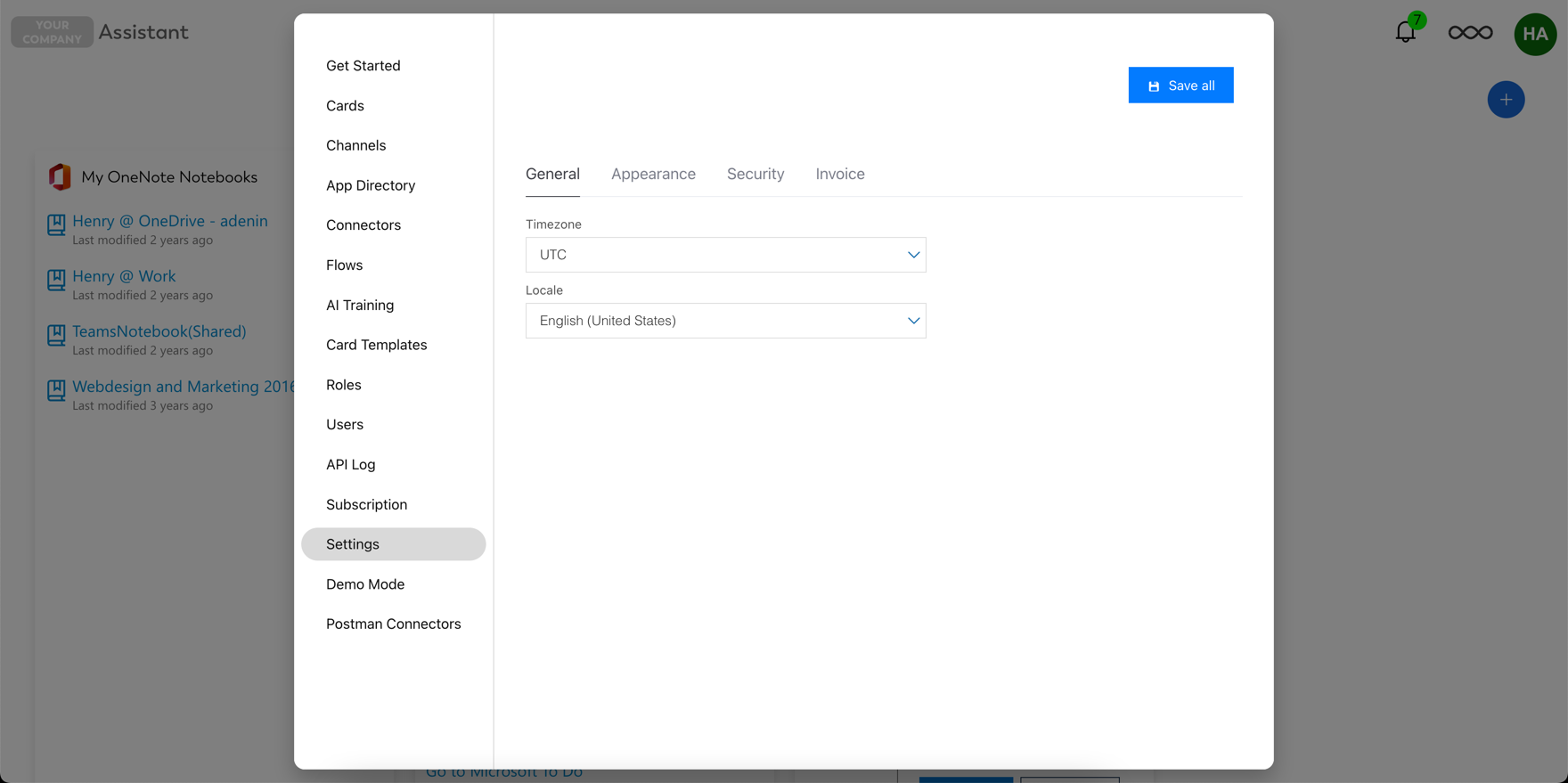
Based on user feedback, we have reworked the Administration area. It is now no longer a separate area, but is instead overlaid as a modal on top of the main app. It’s a simple change, but one that has a big impact on usability for Digital Assistant administrators.
~~
That’s it for July. Do you like these updates? Have you tried one of our new apps? Let us know in the comments what changes you would like us to implement next.


