Introducing the Copilot in M365 CoE Dashboard: A hub for driving Copilot adoption

At adenin, we are excited to unveil our latest offering, the Copilot in M365 Dashboard, a powerful, free tool designed to enhance your Microsoft 365 experience with Viva Connections Adaptive Cards. This tool is an invaluable resource for organizations aiming to establish a Copilot Center of Excellence (CoE) and maximize their ROI.

Key Features

  • Intelligent Recap and Copilot for M365 Center of Excellence
    Our dashboard includes a suite of pre-built Adaptive Cards that comprise intelligent recaps and summarize all Microsoft communications around Copilot. By integrating with the Copilot Deployment Kit, organizations have quick access to pre-drafted communications to accelerate Copilot adoption (for example with a feed from the Viva Amplify Roadmap Blog).
  • Seamless Integration with Workday and ServiceNow
    Our tool also showcases sample integrations with popular platforms such as Workday and ServiceNow, bringing vital information and workflows into the Microsoft 365 ecosystem. This integration empowers users to access and manage data from these systems directly within their M365 environment, thereby enhancing productivity and operational efficiency.
  • Highlighting Viva Campaigns and Copilot CoE
    The Copilot in M365 Dashboard is perfectly positioned to extend the capabilities of Viva campaigns, offering custom experiences and deeper integrations. This allows corporate communicators and change management leaders to drive AI transformation effectively, using our pre-built cards to showcase the benefits of Copilot and other Viva applications.
Add over a dozen Viva apps that summarize all of Microsoft’s official resources to drive Copilot in M365 deployment and adoption

Why Choose adenin’s Copilot in M365 Dashboard?

  1. Centralized Management: Streamline your Copilot initiatives with a centralized platform.
  2. Enhanced ROI: Leverage intelligent recaps and integrations to boost your M365 ROI.
  3. Custom Integrations: Access and manage ServiceNow and Workday data seamlessly within M365.

Get Started

Explore the Copilot in M365 Dashboard on GitHub to get started with this powerful tool. Enhance your Microsoft 365 experience today and lead your organization’s journey towards a robust Copilot Center of Excellence.
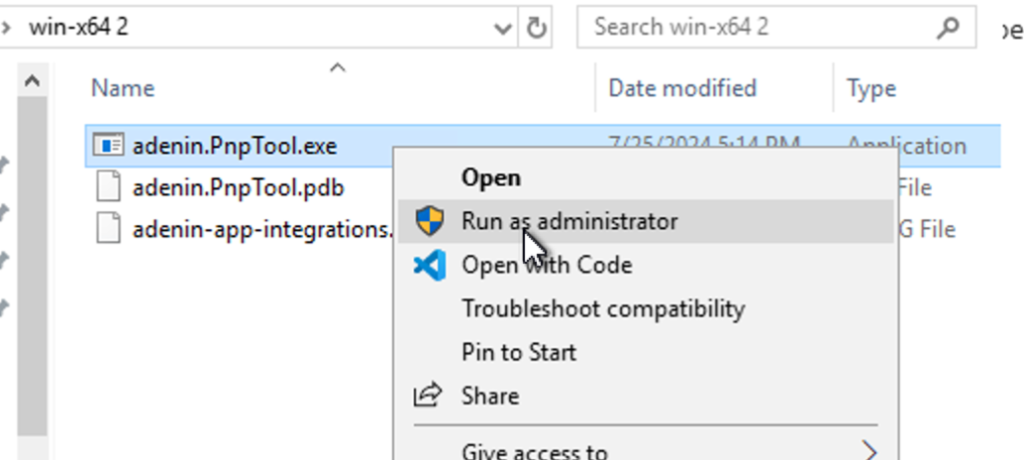
Simple CLI to deploy over a dozen Copilot CoE Cards to a SharePoint sandbox

Installing this dashboard in Viva Connections is very easy. Just follow the steps in the readme file and in under 5 minutes you can deploy the Copilot CoE to your SharePoint instance.

Leave a Reply

Your email address will not be published. Required fields are marked *

Related Posts
Read More

Best practices for selecting an AI chatbot platform

If you’re interested in creating a chatbot solution for your workplace, you will often find yourself considering primarily customer-facing platforms. In this guide we help you find evaluation criteria that help you decide which solution is best to create your internal AI with. 1. Hive bot vs. one-off vs. bot platform In order to pick a platform or vendor, the first question is regarding to the scope of your project. You will probably fall within one of three categories: Category A: Hive bot vs worker bot If you want one central chatbot that users reach out to, regardless of the nature…
Read More

Introducing the Salesforce SharePoint web part

Boost your productivity by connecting Salesforce and SharePoint with the new Salesforce SharePoint app! This integration allows you to seamlessly view and interact with your Salesforce data directly within your SharePoint pages. Whether it’s managing customer details, monitoring sales opportunities, or reviewing reports, everything you need is right at your fingertips—no switching between platforms required. Ready to streamline your workflow? Explore the full list of features and benefits in Microsoft AppSource!
Read More

September ’21 update: New front-end, on-prem improvements

We’ve been working hard on a new version of the Assistant webapp, especially designed for enhanced customizability. New SPA frontend We’ve got a new front-end based on React, that is open-source and 100% brandable by the tenant. Using the Gatsby site reactor, it is now possible to integrate the Digital Assistant within your existing Intranet stack. The frontend is available on Plus cloud plans (deployment via Netlify CDN), or on-premises plans (for Enterprises) where deployment is handled via Docker containers. This new frontend gives customers complete control over the look and feel of their UX, as they can freely modify…
Read More

Digital Assistant for Marketing

Modern marketers need to coordinate content and campaigns between a bewildering number of tools. Here are the most challenging obstacles and how a smart assistant for marketing can help.