Get your entire dashboard as a Chrome extension

We’ve updated our Chrome extension to now show you your adenin.com personal dashboard anytime you open a new browser tab.

Using a full screen dashboard has many benefits over the previous dropdown:

  • You can see all Cards at a glance and not just a summary of notifications
  • You don’t have to consciously remember to check your adenin as most of us open tabs dozens of times a day. This contributes towards your dashboard becoming a subconscious part of your day and helps you to never miss an update.
  • It loads a lot quicker by caching your last board’s state and refreshing data instantenously

The new Chrome extension can simply be obtained from the Channel listing.

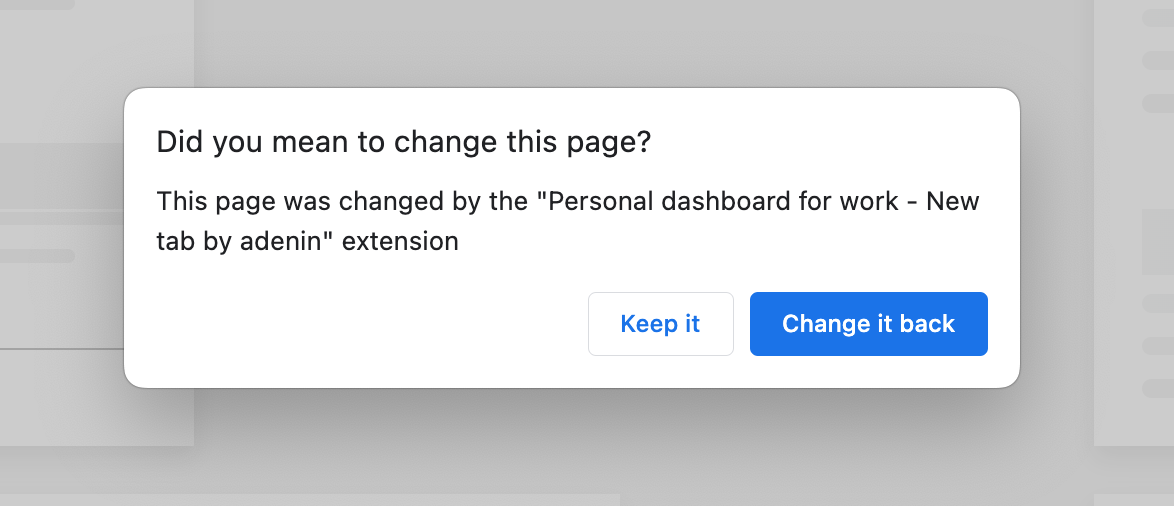
Existing users of the extension will automatically be upgraded and be asked to confirm or decline whether the new version should take over the new tab behavior (as opposed to the previous dropdown).
Leave a Reply

Your email address will not be published. Required fields are marked *

Related Posts
Read More

Keep track of your business accounts with Xero

With our new Bank balances data source for Xero you can easily have all your accounts on your dashboard. This new integration shows the closing balances of all your bank accounts so that you can easily see which accounts go up, and which ones down. By clicking any of the accounts you’re taken directly to the statement page on your Xero account. This makes it easier to monitor your organizations’ finances, especially if you’re not a full time accountant but want to keep an eye on things. To add this new integration from Xero to your adenin dashboard, simply head…
Read More

Make it your own with new customization options

We’re excited to tell you about the new theme customization options for your personal dashboard. Choose from our dashing backgrounds, glass-like Card appearance, as well as custom color and font options. We’ve also improved dark mode which now offers you more adjustments that you can easily preview in the Theme Designer. To enable a new background image go to the Background menu and either select an image or enter a custom image URL. The border radius and glass-like opacity setting for Cards is in the Cards menu. To check what your theme looks like in either dark or light mode…
Read More

Boost Your Productivity with Microsoft To Do Integration for SharePoint, Viva Connections, and Copilot in M365

Stay on top of your tasks and manage your to-do lists more effectively with the Microsoft To Do integration for SharePoint, Viva Connections, and Copilot in M365. This integration brings your task lists into SharePoint, allowing you to organize your tasks, set priorities, and track progress all in one place. Enhance your productivity and ensure nothing falls through the cracks. With the addition of Copilot in M365, you can use AI to prioritize tasks, set reminders, and generate insights to stay focused. Find out more about the Microsoft To Do integration by visiting our App Directory listing.
Read More

Feature update: Your Card Hub

We’ve improved the way you can manage your Cards in Digital Assistant. Now all types of Cards (Custom, Adaptive, From App Directory, QnA) are collected under one roof: Your Card Hub. The Card Hub is the new home for all your Cards, thus making it easier to add new ones or change existing Cards AI utterances or debug their connections. You can access the new Card Hub in the admin area.