November ’20 updates: Webhook integrations & Alexa skill

In one of the larger updates of the year, we’re excited to release features around Webhook integration and release a new Alexa Skill.

1. Create Cards and Notifications via Webhook

A sample flow chart in Digital Assistant, which uses a webhook trigger to send an email to a user
View of a Flow with a Webhook receiver as the trigger

Many applications, e.g. Netlify, Shopify, Stripe & many more, offer Webhooks as a way to push events to other sources. Digital Assistant was previously able to create notifications based on API calls where it checked for new/unseen entries and then determined which ones to notify the user with.

But with our new Webhook integration you can now create Webhook listeners that trigger Flows. Flows let you define all kinds of actions, like creating approvals, sending emails, or creating lists and notifications.

You can now create your own Webhook-based Flows from the App Directory

2. New Alexa Skill generally available
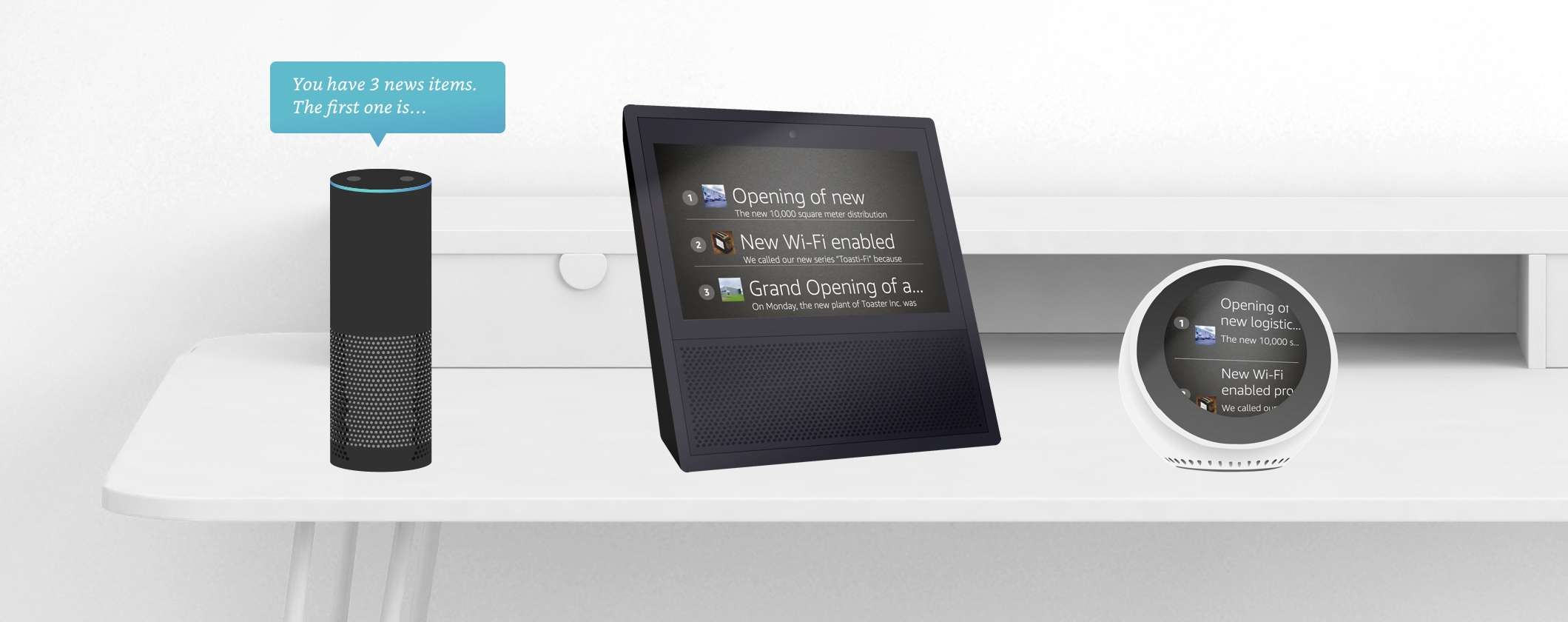
Illustration of Digital Assistant sending responses on an Alexa Show, an Alexa Echo and an Alexa Echo Spot

Our redeveloped Alexa Skill now supports better support for dashboards and charts on Alexa devices like Echo Show. After having been available as a beta feature, we’re now excited to release the Skill for general availability.

You can enable the new skill from the Alexa App Directory listing

Related Posts
Read More

Elevate Your File Management with OneDrive Integration for SharePoint, Viva Connections, and Copilot in M365

Unlock the full potential of your file management system with the OneDrive integration for SharePoint, Viva Connections, and Copilot in M365. Seamlessly access, share, and collaborate on your documents without ever leaving SharePoint. This integration ensures that all your important files are at your fingertips, enabling effortless collaboration and enhanced productivity. With Copilot in M365, you can harness AI to organize files and streamline your workflow. Discover how OneDrive can transform your document management experience by checking out our App Directory listing.
Read More

Check your recent Box files from your dashboard

We’ve just released a new Box app that now shows you all your recent Box files directly on your adenin personal dashboard, as a SharePoint web part or even in Microsoft Teams. This makes it easy to return to your frequently used files or see any changes that were made to files you’re sharing with your team. With our Box integration you can improve your productivity as you never have to hunt for your recent Box files again. To add Box to your adenin dashboard, simply head over to the Box listing in the App Directory.
Read More

June ’22 update: ConZAPulations, we’ve partnered with Zapier

For this month, the team is proud to announce a new integration partnership with Zapier. With thousands of apps in its roster, Zapier is the premier provider of business workflows that span multiple applications and can automate your entire workday. You can access the Zapier app right now in our App Directory. How does the Zapier app work? Zapier is used by creating “Zaps” which are like recipes where you pick a trigger app and then set up multiple action steps, that will be called upon every time something new happens in your trigger app. One of these action steps…
Read More

New Chatbot channel available: Microsoft Teams

Microsoft Teams is rapidly picking up market share in the enterprise chat market, with over 200,000 organizations worldwide utilising teams as their chat collaboration tool of choice. But if you’re already using Teams, or considering transitioning towards it, you might be wondering whether you’re creating a holistic digital workplace environment for your workforce with Teams, or whether you’re just adding another app to the pile. How to add a Digital Workplace to Microsoft Teams One way to ensure that users find it fruitful to return to a new workplace application like Microsoft Teams is to ensure the app is adding value to their workday. Microsoft Teams makes this easy with the addition of ‘bots’…