Keep track of your business accounts with Xero

With our new Bank balances data source for Xero you can easily have all your accounts on your dashboard. This new integration shows the closing balances of all your bank accounts so that you can easily see which accounts go up, and which ones down. By clicking any of the accounts you’re taken directly to the statement page on your Xero account. This makes it easier to monitor your organizations’ finances, especially if you’re not a full time accountant but want to keep an eye on things.

To add this new integration from Xero to your adenin dashboard, simply head over to the Xero app listing in our App Directory and then select the Bank Balances data source.
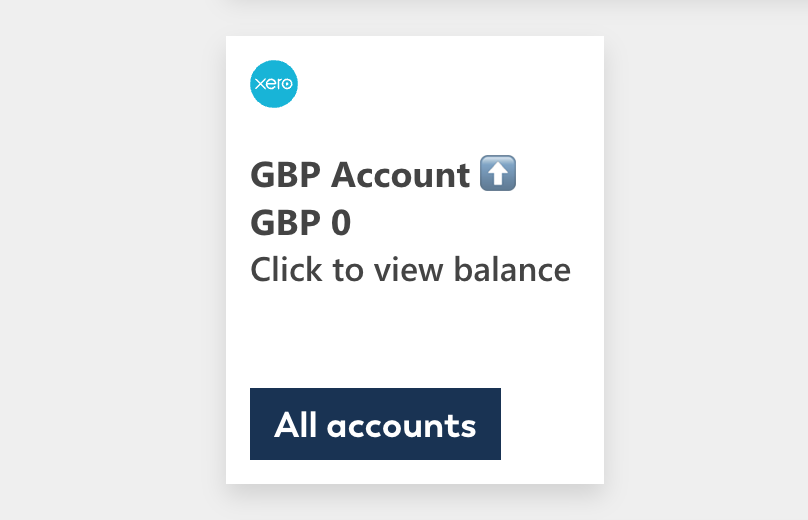
To keep your account balances hidden, simply resize the card so it’s either 1×1 or 2×1 in size and the Summary view will only show the trend of of the first account.

Leave a Reply

Your email address will not be published. Required fields are marked *

Related Posts
Read More

Stay Informed with New York Times Integration!

We’re excited to introduce our latest integration with the New York Times, bringing world-class journalism directly to your dashboard. With this new feature, you’ll have access to the latest news, insightful analysis, and in-depth reporting, all in one place. Stay updated on global events, business, technology, culture, and more without ever leaving your workflow. Discover how the New York Times integration can keep you informed and enhance your productivity by visiting our App Directory.
Read More

Stay on top of your ClickUp tasks

With our new ClickUp app you can easily see all your ClickUp tasks on your dashboard. This makes it easier to collaborate and contribute to your projects by seeing what tasks have been assigned to you. The big rectangle on the left shows you the state of any of your tasks, so you can easily spot if something hasn’t been set to ‘In progress’ yet, thus helping to keep the rest of your team informed about your current status. To add this ClickUp integration to your personal dashboard, SharePoint intranet or Viva dashboard, simply head over to the ClickUp listing…
Read More

Streamline your sales process with the Freshsales integration

Take your sales pipeline to the next level with the Freshsales integration. This powerful tool allows you to connect Freshsales with your workplace apps, providing seamless access to customer data, deal updates, and task management – all in one place. Whether you’re tracking leads or closing deals, this integration helps your team stay on top of what matters most. Ready to supercharge your sales operations? Check out the Freshsales App Directory listing to learn more and get started!
Read More

Boost Your Productivity with Microsoft To Do Integration for SharePoint, Viva Connections, and Copilot in M365

Stay on top of your tasks and manage your to-do lists more effectively with the Microsoft To Do integration for SharePoint, Viva Connections, and Copilot in M365. This integration brings your task lists into SharePoint, allowing you to organize your tasks, set priorities, and track progress all in one place. Enhance your productivity and ensure nothing falls through the cracks. With the addition of Copilot in M365, you can use AI to prioritize tasks, set reminders, and generate insights to stay focused. Find out more about the Microsoft To Do integration by visiting our App Directory listing.