May ’21 update: Zendesk, Freshservice, Webex Teams & more…

You may have heard, but we’re releasing exciting new features every month and May is no exception. Let’s get straight into what’s new.

New app: Zendesk
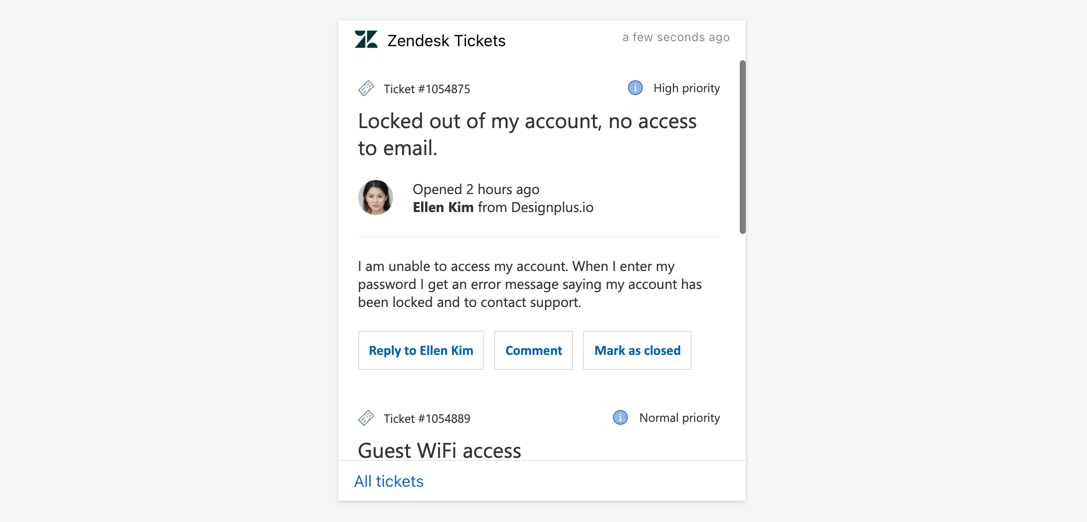
Digital Assistant Card using the Zendesk integration to display a list of tickets assigned to a user

One of the world’s foremost helpdesk applications, Zendesk, is now available as a Digital Assistant app. You can simply connect it to your Zendesk account in order to create Adaptive Cards, for example with all open tickets, unassigned tickets, SLA exceeding tickets, performance metrics, etc.

Zendesk is now available as an app from the App Directory

New app: Freshservice
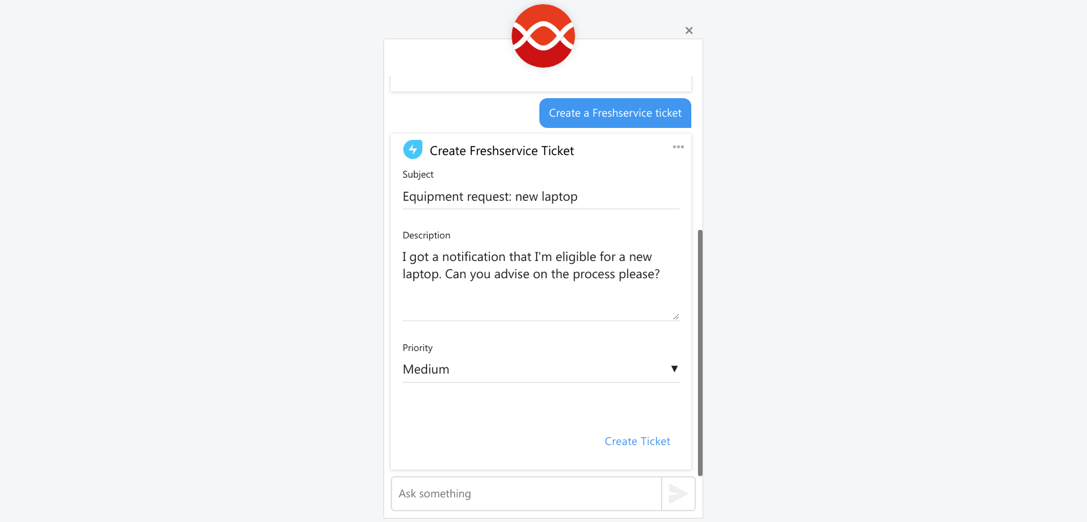
Digital Assistant Card using the Freshservice integration to display a form, allowing a user to create a new ticket

A close relative of the popular Freshdesk, the internal helpdesk solution Freshservice, is now also available to customers. Just add the app to your Digital Assistant and you can quickly create Adaptive Cards with the Freshservice data. Examples include open tickets, tickets on hold, all tickets by status (chart) and many others.

You can simply add the Freshservice connector to Digital Assistant from the App Directory

Generally available: Webex Teams channel

Webex Teams app with the Digital Assistant integration installed, showing an Assistant response in the Webex chat

We’ve revamped the Webex Teams channel to now support Adaptive Cards. These allow you to see the same great Cards as you find them in the Digital Assistant web app or other chat channels like Microsoft Teams.

Webex Teams supports v1.2 of Adaptive Cards, but according to the developers some features may be made available at a later date.

You can now add the new Webex Teams chatbot channel to your Digital Assistant from the App Directory

Improved: Adaptive Cards with generated data
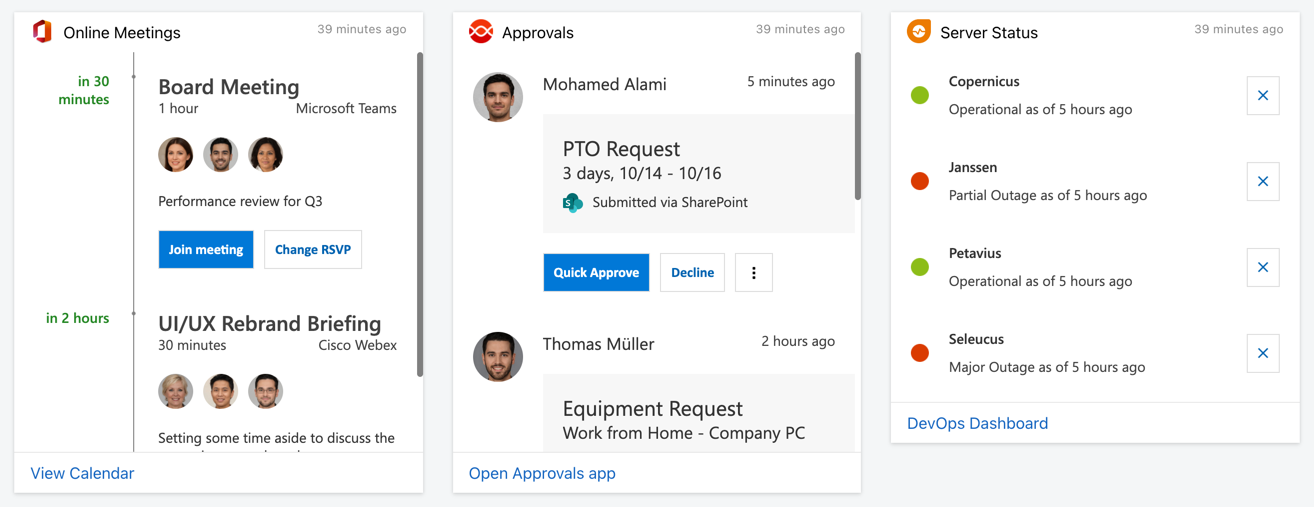
Three Digital Assistant Cards displaying demo data from Microsoft 365 and other demo sources

If you use Demo mode to showcase the Assistant to your team or prospective clients, you will now find all-new and beautiful Demo cards. These all made in Adaptive Cards and offer many in-line interactive elements, for example to comment on a ticket or fill out a form.

To try them out, simply enable Demo mode from your Admin area (if it is already enabled, disable it once first)

Related Posts
Read More

New Chatbot channel available: Microsoft Teams

Microsoft Teams is rapidly picking up market share in the enterprise chat market, with over 200,000 organizations worldwide utilising teams as their chat collaboration tool of choice. But if you’re already using Teams, or considering transitioning towards it, you might be wondering whether you’re creating a holistic digital workplace environment for your workforce with Teams, or whether you’re just adding another app to the pile. How to add a Digital Workplace to Microsoft Teams One way to ensure that users find it fruitful to return to a new workplace application like Microsoft Teams is to ensure the app is adding value to their workday. Microsoft Teams makes this easy with the addition of ‘bots’…
Read More

Digital Assistant and the Digital Workplace of the Year Awards 2018

At the recent Digital Workplace Experience 2018 conference, hosted in Chicago by CMSWire and Digital Workplace Group, our valued client Cisco was a runner up for the 2018 Digital Workplace of the Year award. Celebrating organizations and practitioners who have excelled in creating well-executed, high-performing digital workplace environments, this award highlights Cisco’s ongoing transformation and development towards a better way to work. Cisco’s innovative and bleeding-edge digital workplace showcased their commitment to digital transformation, including their strategy, business cases, governance framework, key features, user engagement and business impact. The judging panel, including digital transformation figureheads such as Paul Miller and Jed…
Read More

Unlocking Financial Management Ease with FreshBooks Integration

In today’s bustling business world, staying on top of your financial management is pivotal, yet it can often feel like a Herculean task. Enter the FreshBooks integration for adenin, designed to streamline your accounting tasks right from your digital workplace platform. This integration brings the simplicity and efficiency of FreshBooks directly to your fingertips, making it easier than ever to manage invoices, expenses, and reports without ever leaving your dashboard. With the FreshBooks integration, small businesses and freelancers alike can enjoy a seamless connection to their financial data, enabling better decision-making and more time to focus on what truly matters:…
Read More

Streamline your sales process with the Freshsales integration

Take your sales pipeline to the next level with the Freshsales integration. This powerful tool allows you to connect Freshsales with your workplace apps, providing seamless access to customer data, deal updates, and task management – all in one place. Whether you’re tracking leads or closing deals, this integration helps your team stay on top of what matters most. Ready to supercharge your sales operations? Check out the Freshsales App Directory listing to learn more and get started!