June update: Zoho apps for every team

Do you rely on Zoho’s suite of cloud apps to keep your business’ wheels turning? We’re committed to helping you bring all of your business data – that’s why this month, we’ve released four new Zoho app integrations to level up your Digital Assistant.

Not a Zoho fan? Not to worry – we’re rolling out an exciting new update to the Chrome extension, too! Read on to learn what’s fresh this June.

New app: Zoho People

You can now show data from the popular all-in-one HR solution Zoho People inside your Digital Assistant. By adding the Zoho People integration to your Digital Assistant, you can build Cards with our easy to use Adaptive Card designer and show the data that matters most to you in your Assistant.
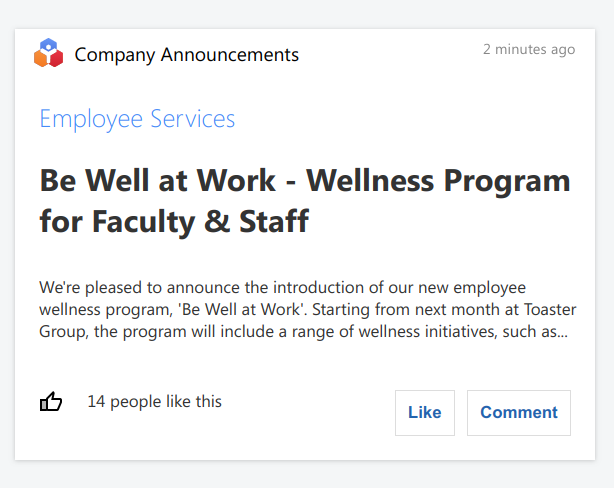
Zoho People Adaptive Card in Digital Assistant, showing a company announcement about employee services

Pin the Cards you create to your Board to create an at-a-glance dashboard of your HR activities, and get easy access to Zoho People payroll reports, upcoming leave, company announcements and more.

Add Zoho People to your Assistant now from the App Directory

New app: Zoho Sign
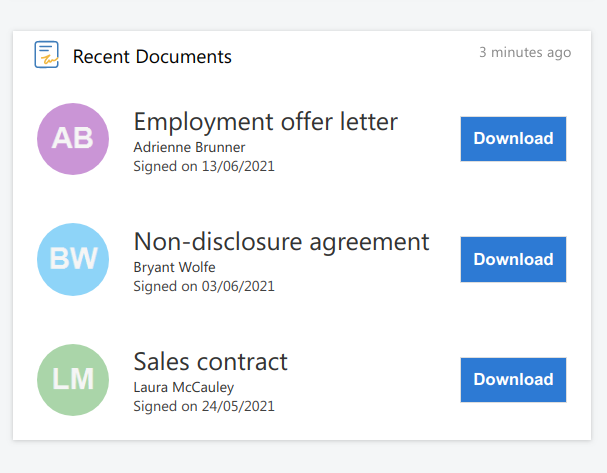
Zoho Sign Adaptive Card in Digital Assistant, showing a list of recent documents from a user's Zoho Sign account

Do you manage your digitally signed documents with Zoho Sign? Make it simple to see and access recently documents from your account with the new Digital Assistant app. Install the Zoho Sign integration and create Adaptive Cards to get easy-access links to your signed documents, directly from your Assistant.

Add Zoho Sign to your Assistant now from the App Directory

Improved: Chrome extension Board view

We’ve released a new version of our Chrome extension with an overhauled view of your priority data! You can now quickly access your entire Board from anywhere on the web by clicking to open the Chrome extension. You can even take action in your Cards directly from the Chrome extension, without having to fully open your Assistant.
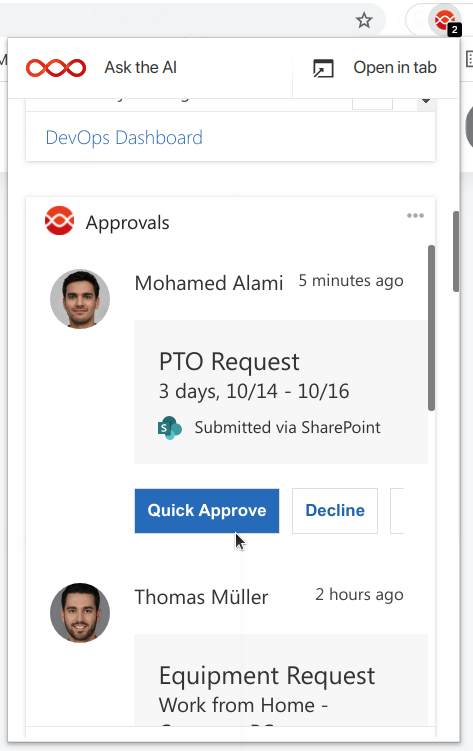
Digital Assistant's Chrome extension, displaying an Approvals Card connected to SharePoint Online

Existing users don’t need to do anything to get the new version, and will see the update roll out shortly.

You can add the Chrome extension to your browser from the App Directory

New app: Zoho CRM

Zoho CRM, one of the world’s most popular CRM software, now integrates seamlessly with Digital Assistant. Add the Zoho CRM app to your Assistant to create beautiful Adaptive Cards using data from your CRM.
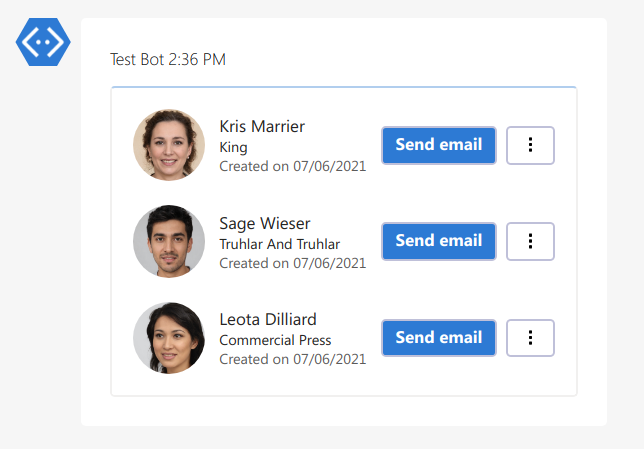
Zoho CRM Card in Digital Assistant's Adaptive Card Designer, showing a list of new leads in the user's CRM
Sample Zoho CRM Card built with the Adaptive Cards designer, showing a list of recently created Contacts.

Display useful information such as lists of new leads, outstanding tasks or upcoming events, create an at-a-glance dashboard of your sales pipeline, and more. With the Zoho CRM app for Digital Assistant, you can provide top-tier customer service without leaving your Assistant.

Add Zoho CRM to your Assistant now from the App Directory

New app: Zoho Books

Your finances are at the heart of your business – and your Assistant can be, too. We’re happy to welcome Zoho Books to our App Directory, helping you to keep track of all aspects of your businesses finances directly from your Assistant.
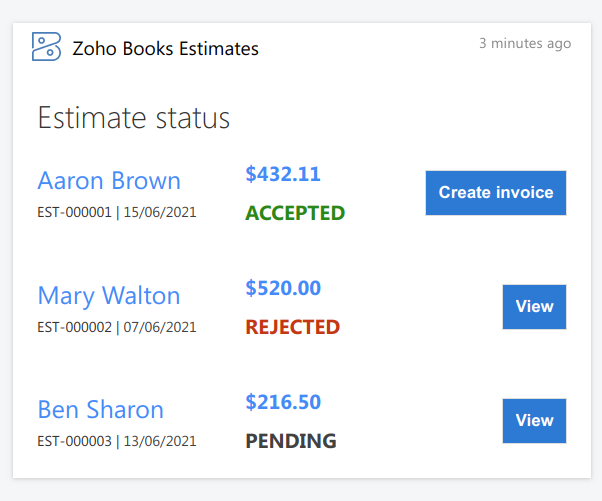
Zoho Books Adaptive Card in Digital Assistant, showing a list of new estimates with their details and status

Use our drag-and-drop Adaptive Cards designer tool to create Cards, and display useful information such as lists of estimates, pending invoices, upcoming recurring expenditure and more. You can then pin your Cards to your Board to create an at-a-glance dashboard of your finances and business workflows, so you can be confident that you’ve always got your finger on the pulse.

Add Zoho Books to your Assistant now from the App Directory

Related Posts
Read More

Introducing Jotform Integration for Adenin: Streamline Your Forms and Workflows!

Exciting news for Adenin users! We’re thrilled to introduce our latest app integration: Jotform. Known for its ease of use and flexibility, Jotform is a game-changer in the world of online forms and surveys. Now, it’s seamlessly integrated with your Adenin digital workplace. With Jotform, creating custom forms for any purpose is a breeze. Whether you’re gathering customer feedback, conducting employee surveys, or managing event registrations, Jotform makes it incredibly simple. And the best part? All this functionality now syncs perfectly with your Adenin platform. Imagine the possibilities – streamlined data collection, automated workflows, and instant access to your form…
Read More

Unlock Your Sales Potential with Pipedrive Integration!

Are you looking to streamline your sales processes and boost your team’s productivity? Look no further! We’re excited to introduce the latest addition to our suite of app integrations: Pipedrive. This powerful tool is designed to help sales teams manage leads, track communications, and automate workflows with ease. Pipedrive’s integration with our platform ensures that your sales data is seamlessly synced, allowing for real-time updates and insights into your sales pipeline. With features designed to enhance efficiency and close deals faster, Pipedrive is the perfect companion for any sales-driven organization. Ready to take your sales game to the next level?…
Read More

Even better RSS feeds with Adenin

We’ve shipped an update to RSS feeds which can now be cached for an amount of time which administrators can configure. When this cache gets used, all users of your account see the same RSS feed (rather than everybody individually requesting it) and its content will refresh once the feeds cache duration has been reached. This feature is useful for enterprise customers or customers of our RSS feed web part that want to throttle the amount of loads they are sending to the feed URL. In the past this could occasionally cause problems for the host of the feed being…
Read More

Elevate your files with Google Drive integration

Get ready to say goodbye to cluttered desktops and hello to streamlined file management because Google Drive integration has arrived on our platform! Whether you’re a digital hoarder or an organization guru, Google Drive is the tool you need to keep your files in check. Imagine having all your documents, spreadsheets, presentations, and more, neatly organized and just a few clicks away. With Google Drive, you can store, share, and collaborate on files like never before. Gone are the days of emailing attachments back and forth or worrying about losing important documents. Google Drive brings simplicity, security, and speed to…