


Intranet innovativeness is stagnating. With the ubiquity (and market share) of intranet software like SharePoint, it feels as though intranets have reached their ‘end game’ – the same old features, the same-look-but-a-different-colour-feel, and the bad taste in the back of your mouth whenever you need to look for something.
But when it boils down to it – your intranet probably isn’t about to go anywhere anytime soon. Intranets still have an important role to play in almost all organizations, from the lemonade stands to the conglomerate giants. They form a standard solution to a standard set of problems, and create valuable communication channels across the business. But standard is truly the operative word – and in today’s increasingly competitive business environment, it is innovation that distinguishes between a leader and a follower. If you want to keep up, it’s time to imbue some life into your tired, standard intranet.
1. A new way to search
Searching is basic functionality, and almost every enterprise application includes it. Despite this, search is seldom executed well – and even when it is, it is still expensive and complex to use. It can take a long time, it can only search one subset or type of information, or it can just be plain useless and require black magic to generate usable results. Overarching all of that, every instance of search functionality is just a search within that particular silo. And even if you’re lucky enough to have dedicated Enterprise Search, this can be tremendously slow – and things still fall through the net. We’ve all been there – you search for something and click a link which opens another search in another application; repeat ad infinitum. Commence headache.
In one example, this company’s marketing department searched through a whopping 12 different sources to get their daily measurements and indicators. No one in their right mind would search Yahoo, Google and Bing, let alone nine more search engines to look up a single fact. Really, Google would get it right the first time – and would even personalize its results to you. Why can’t your enterprise search do that?
Employees deserve first-class tools if we’re to have first-class expectations of them.
Digital Assistant is an app which breaks down the boundaries between your data silos to provide a singular, encompassing search experience. By connecting all of your existing data sources – your Intranet, HR applications, file storage systems (pretty much anything) – to an intelligent AI, you can query your Digital Assistant to search across all of your enterprise data and get near-instant, personalized results. Turbocharging your intranet search is as simple as adding Digital Assistant to your existing intranet – no muss, no fuss. Just a personal Google for you and your business.
In short: enterprise search is hampered by data silos. Rise above them to provide a better search experience for everyone.
2. Personalized search results
Most likely, a lot of personal information about you is stored in an Intranet or specialized software. Information about your projects and tasks is probably elsewhere in another system. In fact, there’s probably dozens of systems that contain things you need to know on a day-to-day basis. So looking up basic things – like how much leave you have left, or whether you met your target for number of tickets closed last week, can become tedious. Your enterprise search isn’t going to be much help; most likely it’ll just give you a link to yet another system, leaving all of the hard work up to you.
When you begin a search, you want information. Information isn’t just limited to documents and links; you should be able to ask your Intranet a question and get an answer, rather than another job. Let’s imagine you instead ask your Digital Assistant a question: “How many days of annual leave do I have left?” – only this time, you don’t get a link to the HR portal. You get a Card, with information tailored to you, your role and your tasks.
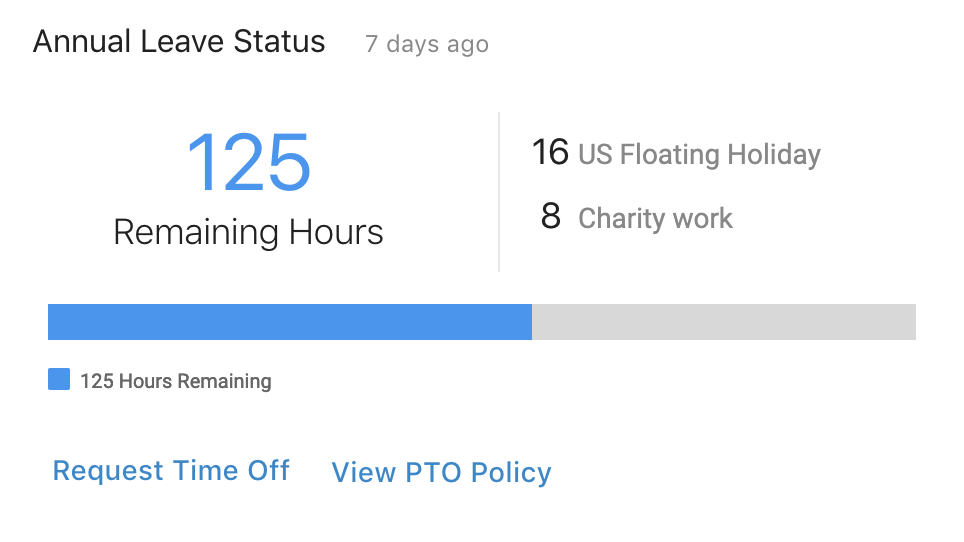
Cards are a perfect vehicle to deliver a multitude of types of information. They can provide a short and definitive answer to a question. They can show rich media, be pinned to a Board to create a personalized dashboard and provide shortcuts to common actions. They can display or link to any kind of resource. And they let you take action from within the Card – so when you want to request leave, you can do it straight away. Best of all, you can use them anywhere – as part of your enterprise search results, embedded on different pages or even as results from the Digital Assistant chatbot in Slack or Microsoft Teams.
In short: Searches are for answers, not just results. Cards are a more functional way to display results across different placements and platforms.
3. Putting chatbots to work
Chatbots are extremely pervasive recently. They come in many different flavors, each specializing in one task; from customer service to eCommerce to meeting scheduling, there’s a chatbot for everything. They’re designed to make life a little easier, answering questions and assisting with basic tasks on a 24/7 schedule.
For a business use-case, chatbots can make multi-step processes simple and accessible. Take that leave request as an example; tell your Digital Assistant chatbot that you want to start a leave request. The bot then needs to know three things: how much leave you are entitled to take, how long you want leave for and what type of leave you’re requesting (parental, annual, jury duty, etc.) It can find your entitlement from your connected enterprise apps, but the rest of the variables the bot will capture through an informal chat with you – the user.
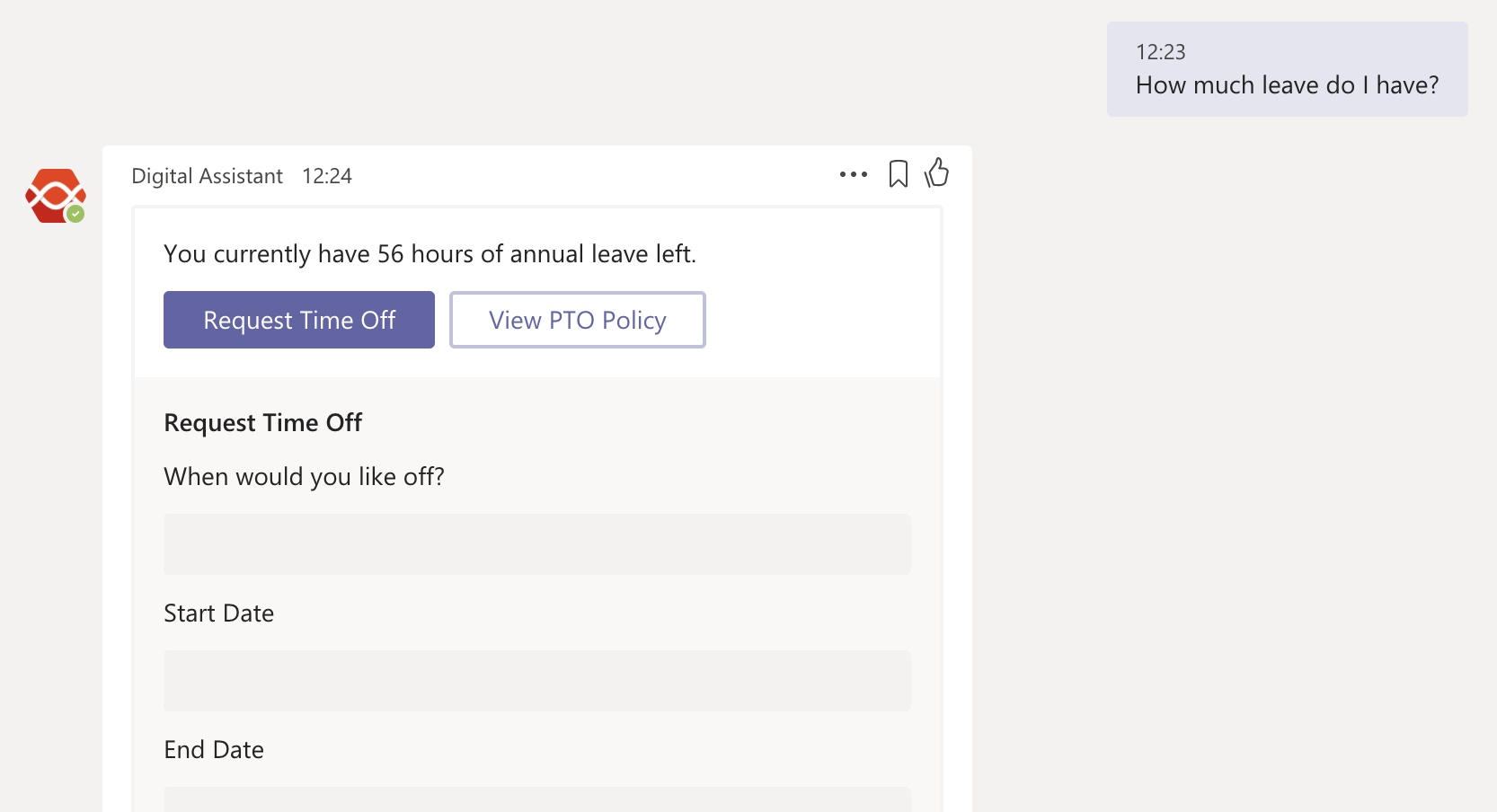
You might be wondering how this ties in with your Intranet, and it’s true that chatbots can operate as standalone functionality. But chatbots can also act as another layer on top of your search ecosystem, allowing you to access information in your Intranet (as well as other systems) from a myriad of other devices and applications. If you’re in a Slack chat and you want to share a document from a SharePoint group, you can invoke the Digital Assistant chatbot to search for the file then and there – and share the link with your conversation partner.
In short: Chatbots put all of your enterprise data at your fingertips, at any time. Access the information stored inside your Intranet without having to navigate to it by querying a chatbot.
Innovation is the key to success
The intranet is the backbone of communication, collaboration and document sharing in the majority of organizations, and because of this, the intranet will never completely disappear. They provide a great deal of value across the business, from top-level management to junior employees. Because of this, it’s more important than ever that intranets continue to innovate; not only to improve the employee experience, but so employees can focus their efforts on business-critical tasks.
Your employees shouldn’t be spending a lot of time in your intranet. And the reason shouldn’t be that they’re not engaged with it, but because they can find what they need within the intranet quickly and efficiently.


