Feature update: Chrome extension for Digital Assistant

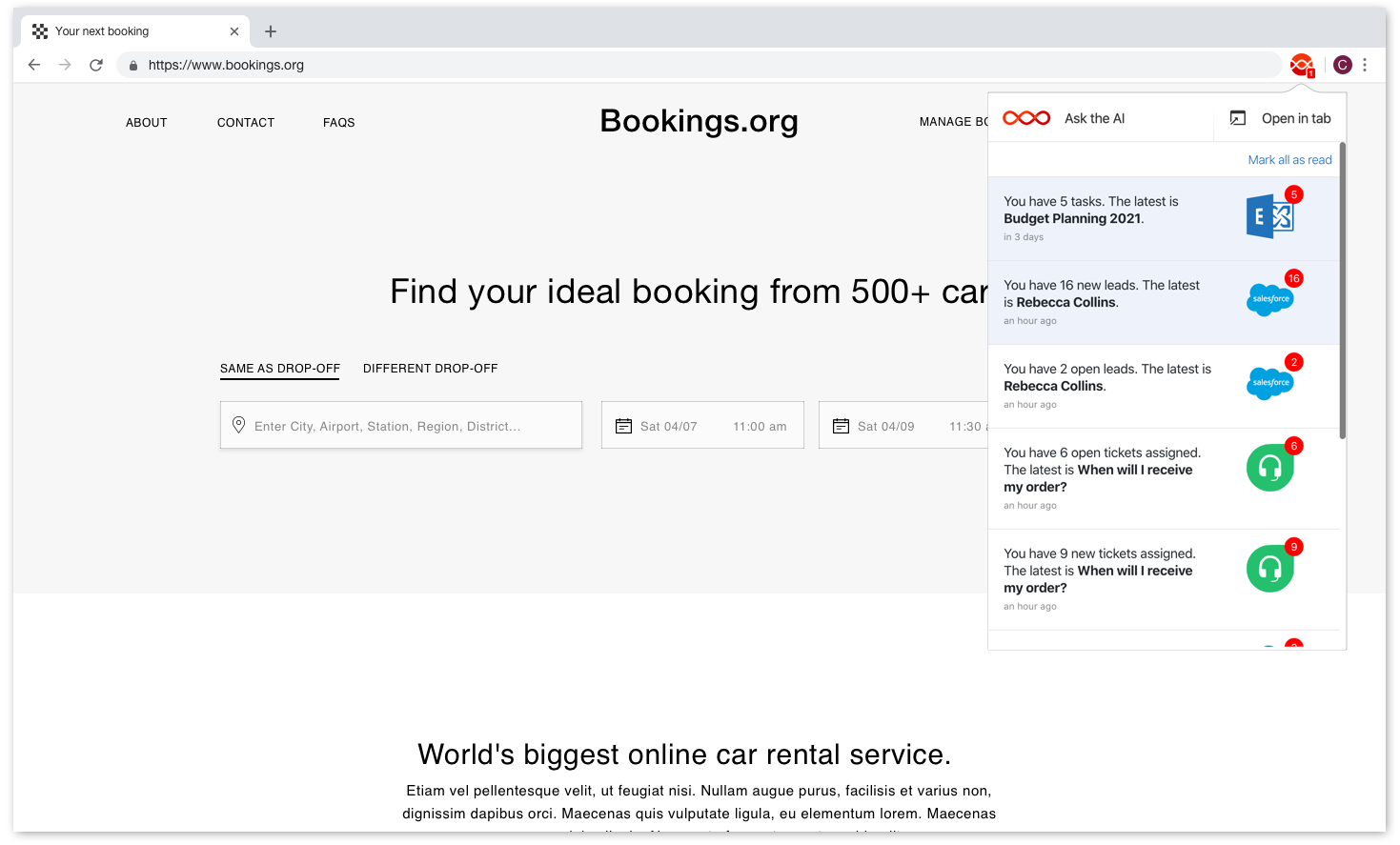
The new Digital Assistant Chrome extension showing notifications from popular business apps
New Digital Assistant Chrome extension

Today we have released a new version of our Chrome extension! With this new version you get:

  • A new design that’s centered around the Notifications dropdown in Digital Assistant
  • Easy access to Ask the AI or Open the Assistant in a new tab
  • Automatic sign in if the browser is already signed into the Assistant
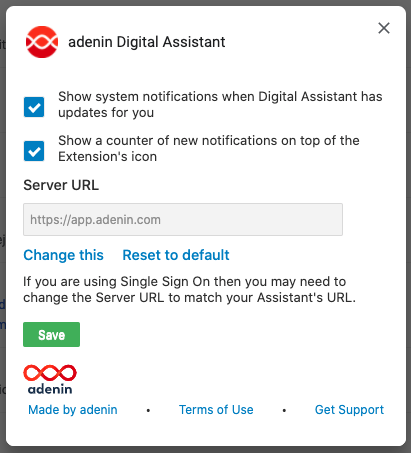
  • System notifications and the badge counter can now be separately enabled
    Updated configuration panel for the Digital Assistant Chrome extension

Existing users don’t have to do anything and will see the update roll out shortly. To get the Chrome extension, head over to the App Directory.

Related Posts
Read More

January ’21 update: New header and Microsoft 365 features

For our first update of the year we have rolled out some improvements to the Digital Assistant web app and Microsoft 365 integration. 1. Web app improvement We’ve redesigned the top header in Digital Assistant so it now offers a more compact layout, leaving more space for users’ My Board which can now display up to 3 columns across on big screens. The chatbot dropdown has now moved into its own web chat button in the bottom right-hand corner of the screen. 2. Avatar from Microsoft 365 Along with the new header we have rolled out a new feature around…
Read More

Streamline your sales process with the Freshsales integration

Take your sales pipeline to the next level with the Freshsales integration. This powerful tool allows you to connect Freshsales with your workplace apps, providing seamless access to customer data, deal updates, and task management – all in one place. Whether you’re tracking leads or closing deals, this integration helps your team stay on top of what matters most. Ready to supercharge your sales operations? Check out the Freshsales App Directory listing to learn more and get started!
Read More

Quickly check your personal dashboard in MS Edge

We are excited to share some news that many of you have eagerly awaited: adenin’s personal dashboard is now available as an extension for Microsoft Edge! Our mission has always been to enhance productivity and streamline workflows. Recognizing the growing popularity and the robust capabilities of Microsoft Edge, it was only logical for us to extend our innovative solution to this platform. Why use the adenin Edge extension? Switching between tabs and platforms is a thing of the past. With adenin’s Edge extension, you can supercharge your efficiency and manage your tasks effortlessly. Get Started Today! Installing our extension is…
Read More

The adenin 2023 Spring Release: New features for SharePoint users and new apps

With SharePoint and Viva Connections driving a new wave of improving the employee’s intranet experience, we’ve been hard at work to further improve the Adenin platform integration with those two products. Introducing App Connections for Viva and SharePoint This is a new web part that automatically (or as we call it, automagically) creates lists from the over 100 apps in our App Directory, such as ServiceNow, Hubspot, Workday, and many more. With App Connections users can: To start simply head over to Microsoft App Source and install the app to your SharePoint & Viva Connections. New app adding experience It…